Product Engineering
Benev
I built the carousel for choosing a membership plan and connected the choice to Stripe checkout
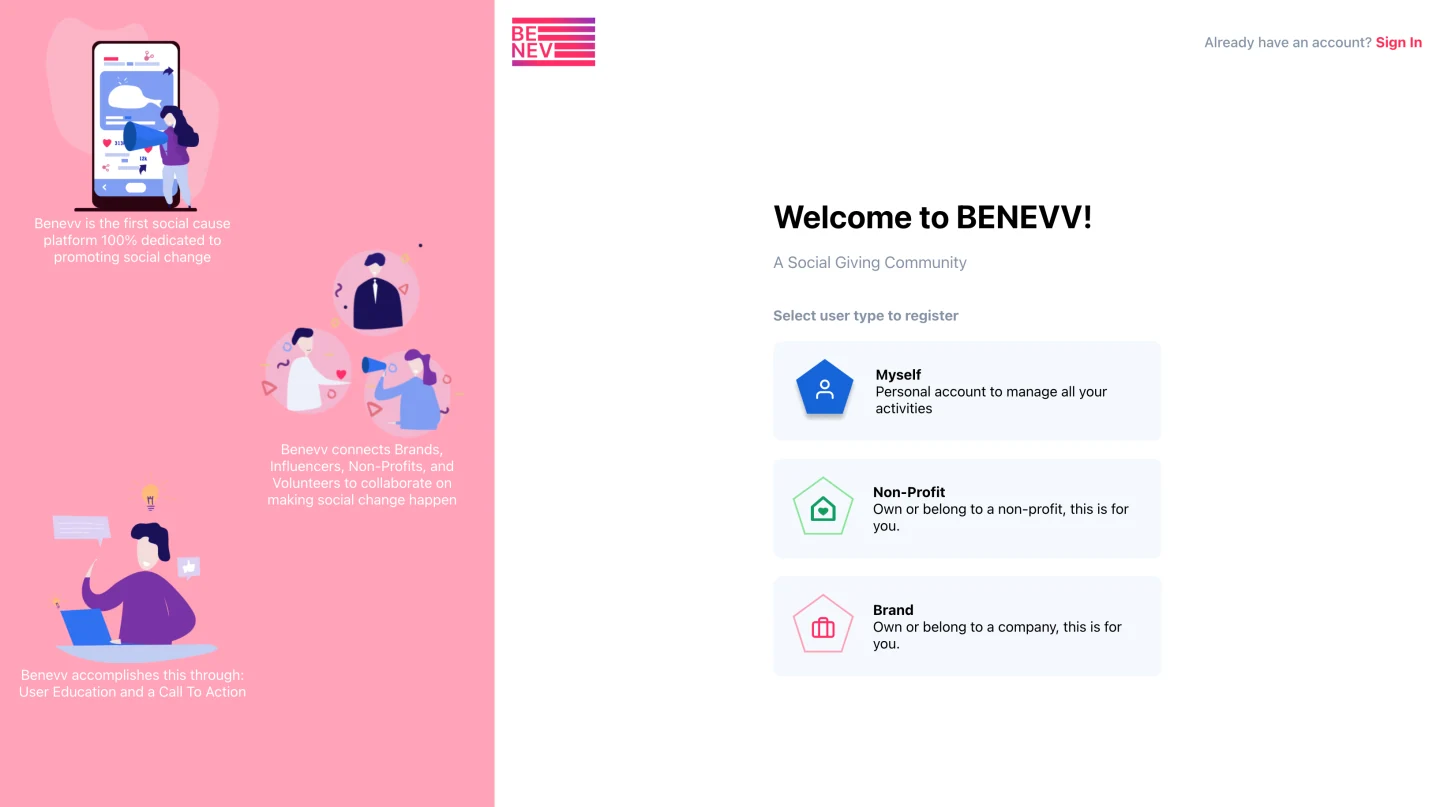
The next project that I would work on with Smarttwigs was Benev. A platform that is dedicated to connecting brands, non-profits, and influencers to promoting social change.
In case you missed it, the previous project I worked on with Smarttwigs was Props.
I would use my learned knowledge from Props and apply it to the Benev website.
Now, the mobile app for Benev was in development, but my task was to build a responsive website from scratch. I would also be the only developer working on the website, so I decided to develop React-Redux website that utilized Styled Components, which would make it easier for future developers to work on once I set the foundation for the project.
The initial screen of the website would allow users to sign up or login into their account, it has wonderful, sleek animations that modernizes the experience to the user, which can be seen in the recording below.
Benev Subscriptions Carousel
The other important aspect of the website is that I would work on allowing users to purchase subscription plans from the website.
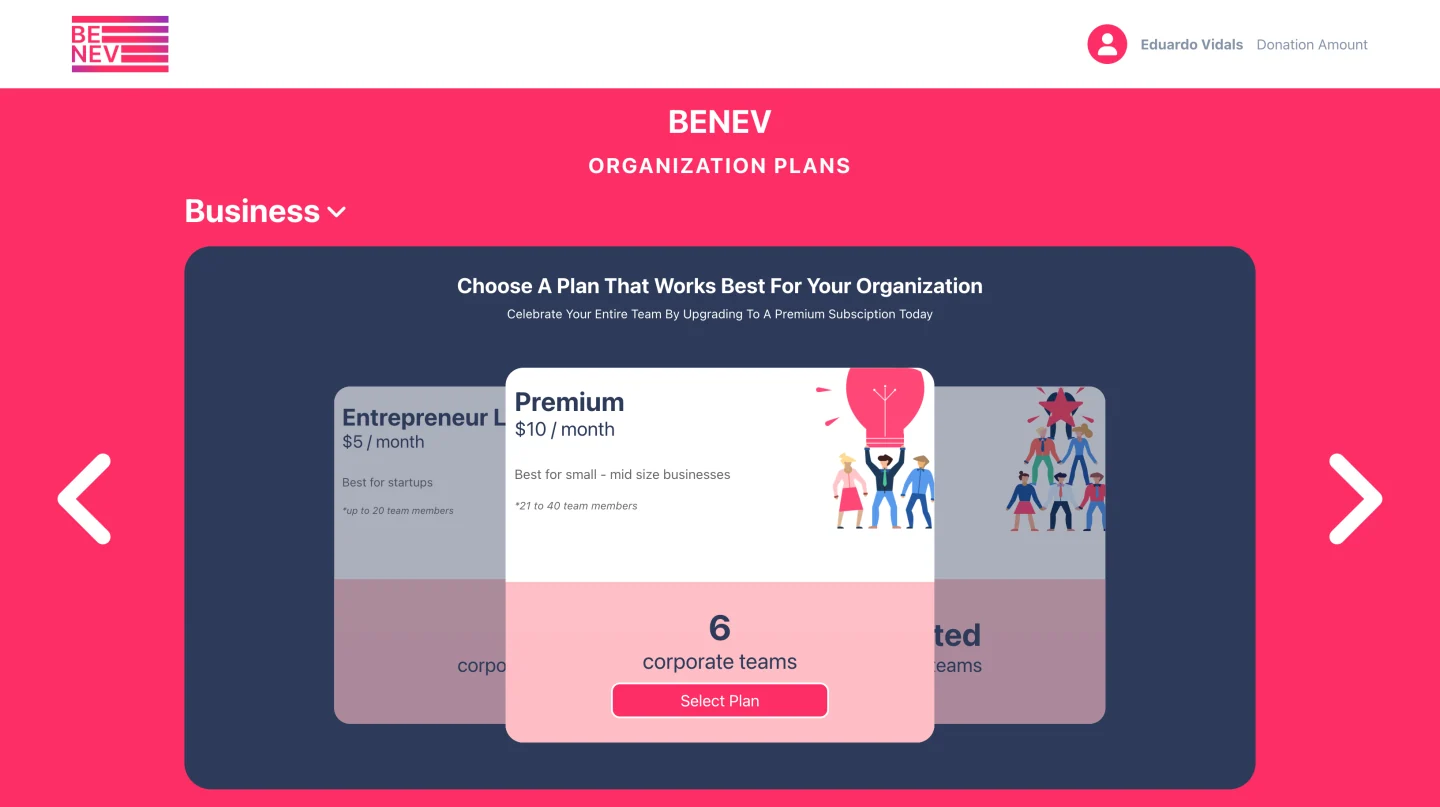
The UI to the website heavily resembles the design of Props, but the code in Props would only allow for the carousel to have three plans. As a result, I had to refactor the existing code to allow for the carousel to allow any number of card elements and as well making it a component to allow for easy changes in the future. As a result, the following code was made possible:
function ChoosePlans() {
  const [planType, setPlanType] = useState('Business');

  // show plans by type
  // NOTE: DO NOT DELETE, each plan should have their own carousel with a
  // UNIQUE key to prevent the animations from transitioning from the previous
  // state of another carousel component, the key tells React that it is a
  // new instance of the component, rather than the same instance
  const showPlans = (planType: string) => {
    switch (planType) {
      case 'Business':
        return (
          <Carousel planType={planType} setPlanType={setPlanType} key={planType}>
            <PlanCard planJson={businessPlans.entrepreneurLite} />
            <PlanCard planJson={businessPlans.premium} />
            <PlanCard planJson={businessPlans.enterprise} />
          </Carousel>
        );
      case 'School':
        return (
          <Carousel planType={planType} setPlanType={setPlanType} key={planType}>
            <PlanCard planJson={schoolPlans.premiere} />
            <PlanCard planJson={schoolPlans.elite} />
            <PlanCard planJson={schoolPlans.superStar} />
          </Carousel>
        );
      case 'Family':
        return (
          <Carousel planType={planType} setPlanType={setPlanType} key={planType}>
            <PlanCard planJson={familyPlans.familyPlan} />
          </Carousel>
        );
    }

    return <PlanCard planJson={familyPlans.familyPlan} />;
  };

  return (
    <>
      <ChoosePlansNavBar />

      <ChoosePlansContainer>
        <ChoosePlansHeadersContainer>
          <ChoosePlansHeader>BENEV</ChoosePlansHeader>
          <ChoosePlansSubText>ORGANIZATION PLANS</ChoosePlansSubText>
        </ChoosePlansHeadersContainer>

        {showPlans(planType)}
      </ChoosePlansContainer>
    </>
  );
}
As shown above, the code is simplified with the help of styled-components and the generalization of components such as PlanCard and Carousel. Not only that, but instead of specifying multiple props to a component, a JSON object with all the predefined fields are passed to the component, which makes it extremely easy to read the code and make changes.
Benev Checkout
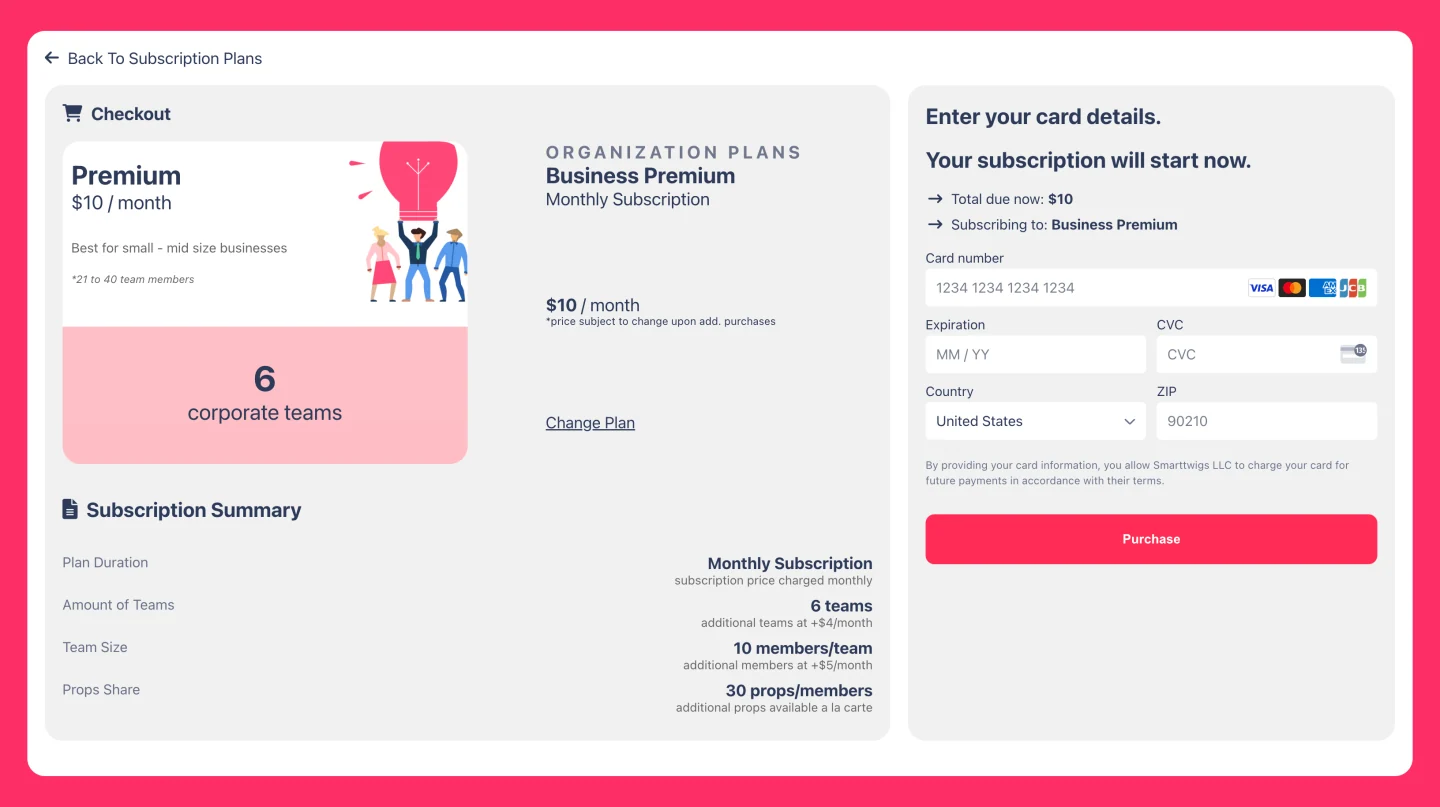
However, that's not the only thing, as I would get Stripe's Payment Element to work on the website, which required me to change things both in the front-end and back-end.
The following is the result of the checkout screen when choosing a subscription plan from the carousel.
All in all, I created the Benev website with the cleanest code possible to allow future developers to easily work on the website and not be confused by the conventions set forth by me.
The internship was an amazing experience and my next exciting opportunity was getting a position at PGIM as a Software Engineer Intern!
Thanks for reading and feel free to read more about my other projects!